
Great Plains
Bridge your financial accounting and distribution data with active logistics. Automate data extraction from your sales journals, gain multi-carrier rate visibility, and return tracking info seamlessly.
Feature / Data Point
Connection Details
Connection Type
System Integration
Platform Type
WMS / ERP
Data Extraction
Automates data extraction from Great Plains sales journals.
Tracking Writeback
Returns tracking info directly to the GP system.
Supported Carriers
750+ Global and Regional Carriers
SHIPPING MADE EASY
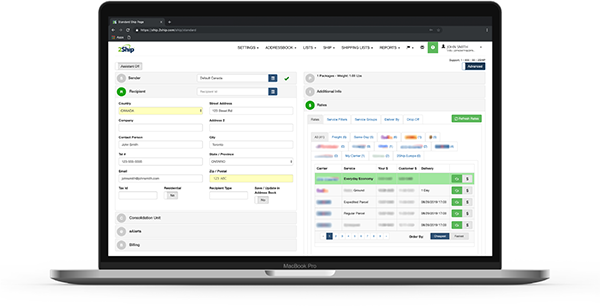
Stop letting manual data transfer slow down your established financial accounting and distribution workflows. The 2Ship app seamlessly integrates with Microsoft Dynamics Great Plains (GP), giving enterprise teams the automated tools they need to bridge complex backend data with real-world, active logistics.
Key Advantages:
- Automated Data Extraction: Pull order data straight from your GP sales journals, eliminating manual data entry and costly administrative errors.
- Multi-Carrier Visibility: Gain immediate rate visibility across 750+ local and international carriers to secure the best pricing for your corporate shipments.
- Seamless Tracking Returns: Automatically push tracking info and fulfillment statuses back to Great Plains, keeping your financial and distribution records perfectly aligned.
- Drastically Cut Costs: Dynamically rate-shop and find the freight or courier service that best protects your margins on heavy enterprise distributions.
- Total Centralisation: Manage all your transport providers, warehouse locations, users, and shipping activity from a single, mobile-friendly dashboard.
Create Your 2Ship Account
How it works
Step 1
Order Captured in Great Plains
Your logistics cycle begins when a transaction is logged in your sales journal or a distribution request is created within Microsoft Dynamics GP.
Step 2
Instant Data Extraction
Through our system integration, 2Ship automatically extracts the necessary shipment data from your GP environment directly into your shipping dashboard without any manual batching.
Step 3
Rate Shop and Print
Your dispatch team instantly gains multi-carrier rate visibility, comparing costs across our vast network of supported parcel couriers and freight carriers to select the optimal service and print labels.
Step 4
Tracking Info Returned
Closing the loop, 2Ship automatically returns the generated tracking numbers and fulfillment data back to Great Plains, seamlessly updating your corporate records.
Starting at
$14
/month
Everything You Need to Scale Your Shipping
Use the 2Ship app to unlock enterprise-grade logistics tools specifically designed to handle the complex demands of established corporate distribution and financial accounting operations.
- Unlimited Users
- Single Location (add more as needed)
- 100 Parcel Labels
- Includes ALL Core Features and Smarts
- Administrator Access and Control
- Visibility and Performance
- Get Spot Quotes (bidding)
- And more...
- Access All Carriers: Ship anything from a single document to a full ocean container.
- Total Flexibility: Choose from same-day local couriers, rush delivery, or worldwide freight.
- Live Rate Shopping: Compare rates across our 750+ supported carriers in real-time.
- Branded Experience: Create customized tracking pages and send branded email notifications to your buyers.
- Hardware Freedom: Eliminate the absolute need for physical scales and measuring devices.
- Return Management: Solve all your reverse logistics and return headaches easily.
- Cloud Accessibility: Get 24/7 access to your account across all devices, all you need is an internet connection.
- And more...
About Great Plains Software (Microsoft Dynamics GP)
Microsoft Dynamics Great Plains (GP) is an established, highly robust enterprise resource planning (ERP) system and distribution manager designed to handle complex financial accounting, supply chain logistics, and corporate operations. Serving as a foundational tool for mid-market to enterprise-level businesses, Great Plains bridges the gap between detailed financial oversight and high-volume warehouse management. By integrating with advanced logistics platforms like 2Ship, GP ensures that organizations can maintain perfect harmony between their sales journals, distribution centers, and final delivery workflows.