
Quickbooks
Hey QuickBooks User! The 2Ship app is here to save you time shipping your orders from QuickBooks and save you money by selecting the best service and price every time you ship.
SHIPPING MADE EASY
Our app is here to make it easier for you to ship what you invoice and record your shipping expenses and customer shipping charges in QuickBooks.
Use the 2Ship app to:
- Access all carriers and shipping services in one place.
- Ship anything from a document to a full container.
- Choose Same Day, local, rush couriers to worldwide.
- Rate shop all available options in real-time – we have over 300 supported carriers!
- Monitor everything from our mobile-friendly dashboard.
- Create customized tracking pages.
- Send branded email notifications.
- Eliminate the need for scales and measuring devices.
- Solve all your return headaches.
- Get 24/7 access to your account across all devices; all you need is the Internet.
Create Your 2Ship Account
How it works
Step 1
Order Arrives in QuickBooks
Invoice for the order opens in a Draft or Paid status.
Step 2
Order Finds its Way to 2Ship
Simply scan or enter the invoice/order number to get all shipping information for the order in the Ship screen.
Step 3
Order Rated and Shipped
Rate shop to get the best carrier and service for the best price and print your labels.
Step 4
Update Invoice in QuickBooks
Automatically record all shipping costs and customer shipping charges in QuickBooks.
FREE
Shipping 10 shipments or less per week and do NOT have your own carrier account(s)? Sign up today to ship using our carrier accounts with discounted rates.
- Single User
- Single Location (add more as needed)
- Rate Shop & Ship Using 2Ship Carriers
- Includes ALL Core Features and Smarts
- No Monthly Bills, No Hidden Fees
- Simply use your credit card to pay when you ship
Starting at
$14
/month
Whether you’re shipping hundreds of small packages in one month or sending pallets and skids across the border the next month, our FULL solution handles all your shipping needs based on the ebbs and flows of your business.
- Unlimited Users
- Single Location (add more as needed)
- 100 Parcel Labels
- Includes ALL Core Features and Smarts
- Administrator Access and Control
- Visibility and Performance
- Get Spot Quotes (bidding)
- And more...
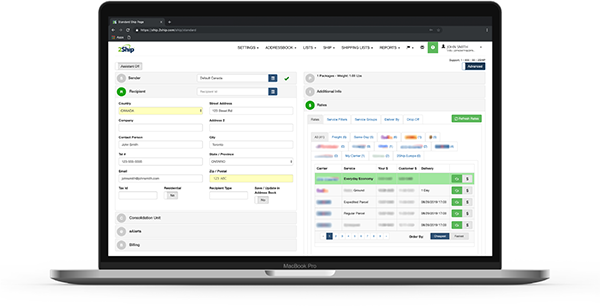
- Drastically cut your shipping costs by finding the carrier rate and service that best suit your business needs.
- Save time by automating your shipping processes and keeping all your shipping information in one place.
- Centralize all your carriers, accounts, locations, users and shipping activity.
- Eliminate manual entry errors and wasted man hours.
- Get full visibility into each and every shipment with real-time tracking.
- Performance metrics in real time.
- Use a system that doesn’t break the bank!
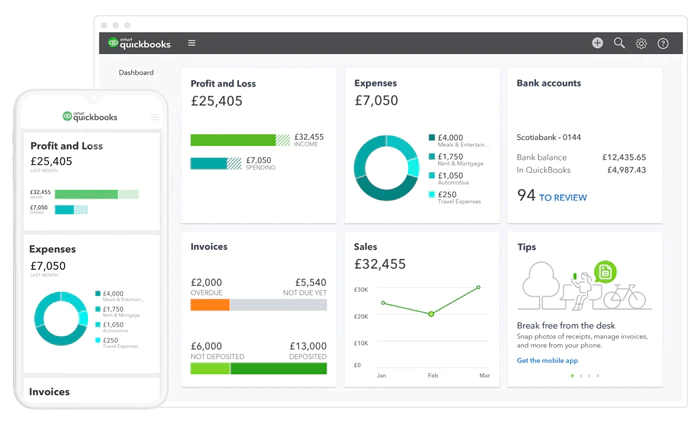
About QuickBooks
QuickBooks is an accounting software package developed and marketed by Intuit. QuickBooks products are geared mainly toward small and medium-sized businesses and offer on-premises accounting applications as well as cloud-based versions that accept business payments, manage and pay bills, and payroll functions.
Visit QuickBooks